Asset Monitoring
Know what is happening across station assets before anyone travels.
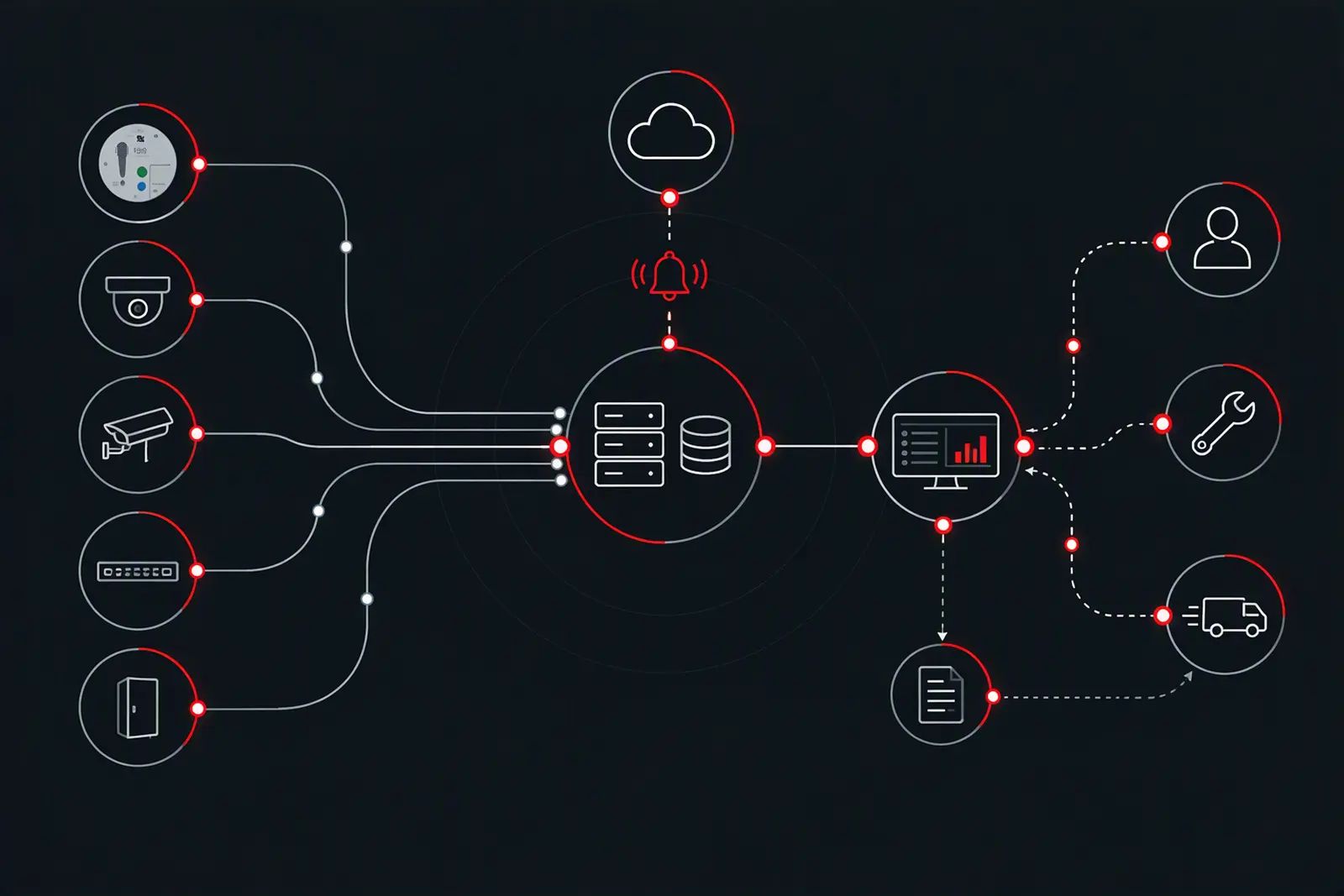
Station asset monitoring: alerts from supported assets, matched to the right asset and handed into the maintenance workflow.
Asset status, heartbeat and connectivity monitoring where supported, with alerts matched to the asset.
Asset MonitoringRequirement
An alert is only useful when it names the asset
Monitoring is only useful when an alert can be tied to the right equipment and the right place, and then to the people who fix it. That takes supported interfaces, clean asset information and a maintenance workflow behind the alert.
TDM monitors Help Point estates and selected CCTV estates, from individual Help Point components to a live asset and maintenance platform.
Workflow
From asset to action
A station asset exposes status or condition data. Monitoring reads it and raises an alert, and the alert is matched to the asset and its location. From there the event enters the maintenance workflow, an engineer responds remotely or on site, and the activity is reported. The available data and workflow depend on the asset, the interface and the agreed maintenance scope.
What it shows
Status, heartbeat, connectivity and fault patterns
- Asset operational or fault status.
- Heartbeat or device availability.
- Network and communications status.
- Performance trends and threshold events where supported.
- CCTV recording and storage status where supported.
- Repeated or intermittent fault patterns where configured.
Fault and asset
See a fault. Know the asset.
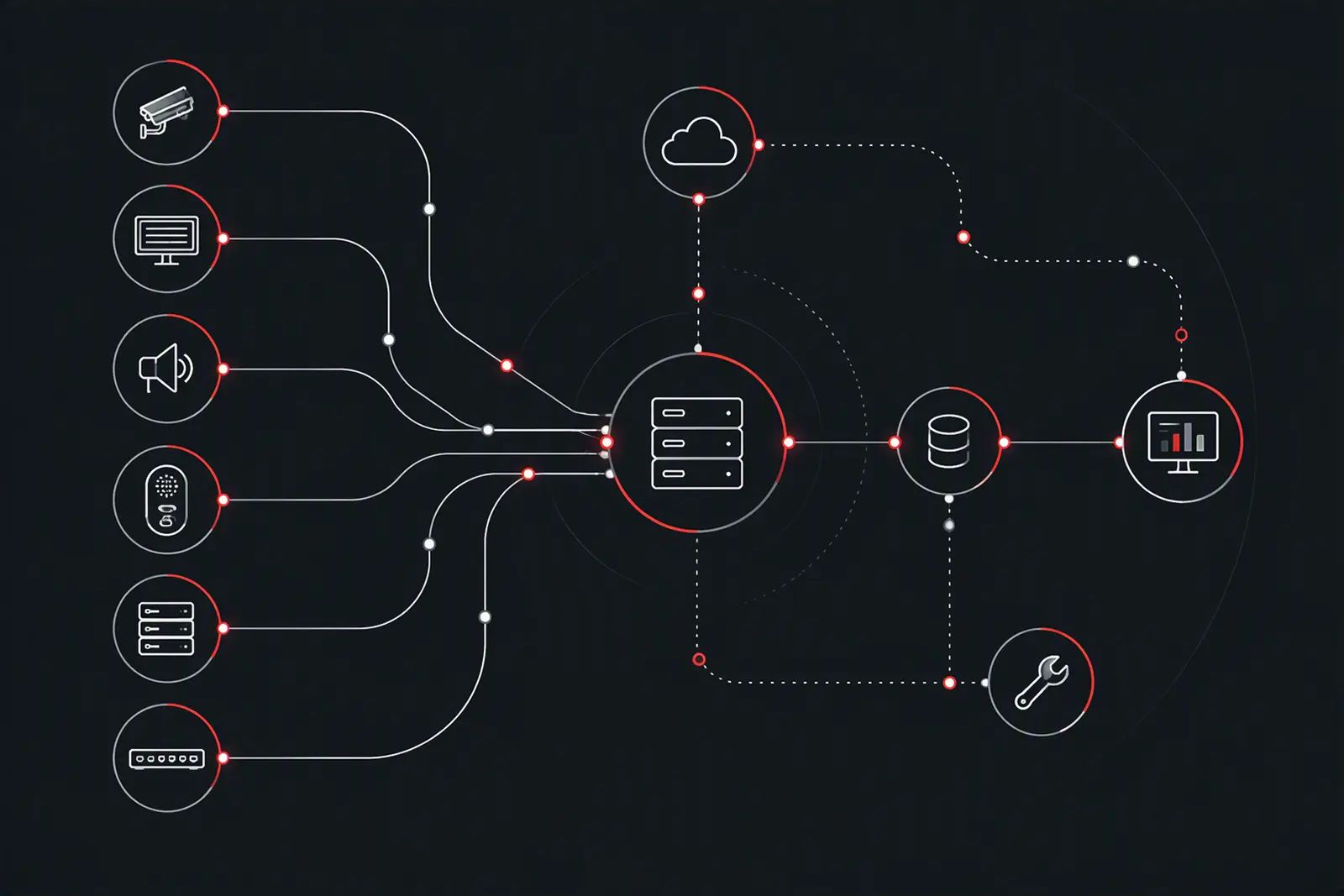
The asset structure TDM keeps separates location, asset structure and identity: location, as service location and sub-location; asset structure, as system, subsystem and component; and identity, as the master asset record and its descriptive engineering tag. Keeping them separate means a monitoring event lands on the correct asset and place, and the maintenance workflow starts from reliable information.
Integration
REST, SNMP and email, mapped to the asset
TDM can connect supported monitoring sources with asset and maintenance information using the system interfaces available. Recorded methods are REST API integration, SNMP alerts or polling, email parsing for supported legacy workflows, and data mapping to an agreed asset structure. Where a system has no native monitoring, network-level connectivity monitoring and SNMP polling are used where feasible.
Maintenance link
Monitor, detect, identify, respond
- Monitor. Understand supported asset status and connectivity.
- Detect. Identify faults, loss of communication or performance changes.
- Identify. Associate the event with the correct asset and location.
- Respond. Connect the issue to remote diagnosis or field maintenance.
- Report. Review activity, recurring issues and maintenance information.
In practice
Help Point and CCTV estates
On a Help Point estate, remote monitoring found a mobile-provider SIM configuration issue affecting multiple units; on a Metro CCTV estate, monitoring runs alongside workshop test systems that validate updates against the live installation.
Scope
Help Point remote monitoring and alerting
- Asset status polling and heartbeat monitoring for Help Points
- Connectivity monitoring
- Remote diagnosis of faults affecting multiple units
- Alerts exchanged with maintenance and asset-management workflows
Discuss asset monitoring for a site.
- Project enquiryNew station systems work: CCTV, customer information systems, Help Points, public address, operational telecoms, control rooms, and supporting infrastructure.
- Design enquiryDesign-only commissions for station systems: survey, reference design for Approval in Principle, and detailed design.
- Maintenance enquiryPlanned and corrective maintenance of Help Points and station information and security systems.
- Product enquiryTDM Help Points, replacement kits, and TDM NIS.